
 About Company
  Careers
 Testimonials
 Our Portfolio
 Blog
Blog

 Web App Development
  Mobile App Development
  UI/UX Design
  Digital Marketing
  Quality Assurance
  Managed IT Service


 Microsoft
  Open Source
  JS Frameworks


 Web Developers
 Open Source Developers
  Frontend Developers


Introduction
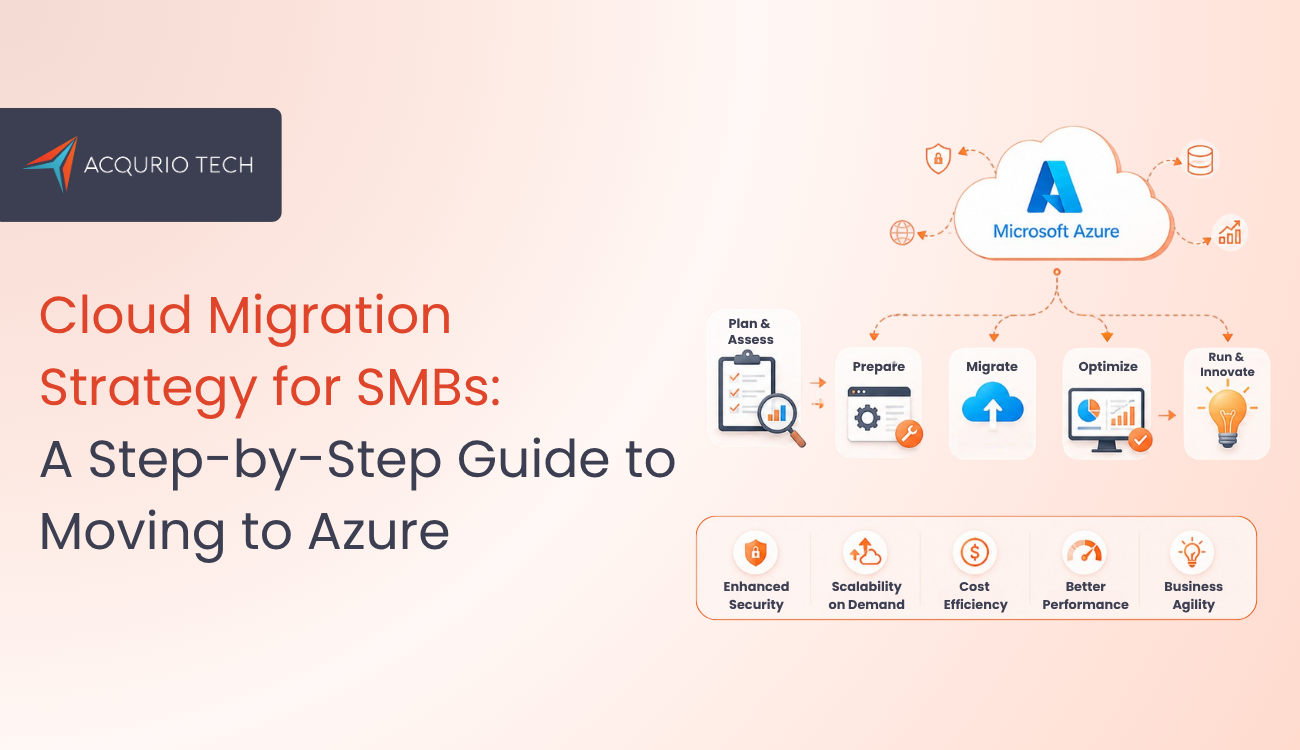
Digital transformation is no longer optional for growing businesses. Small and medium-sized businesses are rapidly moving toward cloud infrastructure to improve scalability, reduce operational costs, and strengthen business continuity. A well-planned cloud migration strategy for SMBs helps organizations move applications, databases, and workloads to the cloud with minimal downtime and maximum efficiency.
Among various cloud platforms, Microsoft Azure has become one of the most preferred solutions due to its enterprise-grade security, flexible pricing, and powerful infrastructure capabilities. However, successful migration requires more than simply transferring data to the cloud. Businesses need a structured approach that focuses on planning, security, optimization, and long-term scalability.
This guide explains a complete cloud migration strategy for SMBs, including migration planning, Azure service selection, security implementation, workload optimization, and post-migration management.
Businesses today are increasingly investing in scalable web applications with ASP.NET Core because modern cloud environments demand applications that can handle growing traffic, users, and business operations without performance issues.
What Is Cloud Migration?
Cloud migration refers to the process of moving business applications, servers, databases, and digital assets from on-premise infrastructure to cloud-based environments such as Microsoft Azure.
A successful cloud migration strategy for SMBs ensures that businesses can modernize their infrastructure while reducing risks related to downtime, security, and operational disruptions.
Cloud migration may involve:
- Moving virtual machines
- Migrating databases
- Transferring applications
- Modernizing legacy systems
- Implementing cloud-native services
For SMBs, migration provides access to enterprise-level technology without the need for large upfront infrastructure investments.
Why SMBs Need a Cloud Migration Strategy?
Many SMBs still rely on outdated systems that are expensive to maintain and difficult to scale. A proper cloud migration strategy for SMBs helps businesses improve flexibility while lowering infrastructure costs.
Without a structured migration plan, organizations may face:
- Downtime during migration
- Data security risks
- Performance issues
- Budget overruns
- Compatibility challenges
By adopting Microsoft Azure, SMBs gain access to scalable infrastructure, disaster recovery solutions, AI-powered services, and advanced security capabilities that support future business growth.
Step 1: Assess Existing Infrastructure
The first phase of any cloud migration strategy for SMBs is infrastructure assessment.
Businesses should identify:
- Existing applications
- Server dependencies
- Database structures
- Storage requirements
- Network architecture
- Performance bottlenecks
This assessment helps determine which workloads are ready for migration and which applications require modernization before deployment to Azure.
Infrastructure analysis also allows businesses to estimate migration costs and define technical priorities.
Step 2: Define Cloud Migration Goals
Before starting migration, SMBs should clearly define business objectives.
Common migration goals include:
- Reducing infrastructure costs
- Improving scalability
- Enhancing security
- Supporting remote work
- Increasing application performance
- Improving disaster recovery
A successful cloud migration strategy for SMBs aligns cloud adoption with long term business goals rather than focusing only on technical implementation.
Organizations that define clear objectives are more likely to achieve measurable ROI from Azure migration.
Step 3: Choose the Right Azure Services
Microsoft Azure offers a wide range of cloud services designed for businesses of all sizes. Selecting the right services is a critical part of an effective cloud migration strategy for SMBs.
Popular Azure services include:
- Azure Virtual Machines – Used for hosting applications and workloads in the cloud.
- Azure SQL Database – Provides scalable and managed database solutions.
- Azure Blob Storage – Offers secure cloud storage for files, backups, and media assets.
- Azure Active Directory – Helps manage user authentication and access control.
- Azure Backup & Disaster Recovery – Protects business data and ensures continuity during failures.
SMBs should begin with core infrastructure services and gradually adopt advanced technologies such as AI, analytics, automation, and serverless computing.
Step 4: Select the Right Migration Approach
Every business application has different technical requirements, so SMBs should choose a migration approach based on workload complexity and business goals.
A professional cloud migration strategy for SMBs generally includes one of the following approaches:
- Rehosting (Lift-and-Shift) – Applications are moved to Azure without major modifications.
- Replatforming – Applications are optimized for cloud environments with minor improvements.
- Refactoring – Applications are redesigned to become cloud-native and scalable.
Most SMBs initially choose lift-and-shift migration because it reduces migration complexity and minimizes operational disruption.
Most SMBs prefer migrating applications in phases because it helps reduce downtime, improve testing, and maintain smooth business operations.
Step 5: Secure the Cloud Environment
Security should always be one of the top priorities when SMBs move their applications, databases, and infrastructure to the cloud. Improper cloud configurations can expose sensitive business information to cyber threats.
Microsoft Azure provides built-in security capabilities such as:
- Identity and access management
- Multi-factor authentication
- Data encryption
- Firewall protection
- Threat detection
- Security monitoring
Businesses should implement strict access controls and regularly monitor cloud activity to maintain a secure environment.
Cloud security planning should begin before migration starts and continue after deployment.
Step 6: Migrate Applications and Data
Once planning and security configurations are completed, businesses can begin workload migration.
A successful cloud migration strategy for SMBs recommends starting with low-risk applications before moving mission-critical systems.
Migration should include:
- Database transfer
- Application deployment
- File migration
- User testing
- Backup validation
Azure migration tools simplify workload transfer while reducing downtime and compatibility issues.
Organizations should maintain backup copies throughout the migration process to prevent accidental data loss.
Step 7: Test and Optimize Cloud Performance
After moving workloads to Azure, businesses still need to monitor performance, security, and cloud costs regularly. Businesses must continuously test and optimize their cloud infrastructure.
Performance testing includes:
- Application response times
- Server utilization
- Storage performance
- Security monitoring
- Cost tracking
An optimized cloud migration strategy for SMBs focuses on long-term efficiency and cost control.
Azure monitoring tools provide real-time insights that help SMBs improve application performance, detect issues faster, and maintain reliable cloud operations.
Benefits of a Cloud Migration Strategy for SMBs
Migrating to Azure offers several long-term advantages for growing businesses.
- Improved Scalability – Azure allows businesses to scale resources based on demand without purchasing additional hardware.
- Reduced Infrastructure Costs – Cloud infrastructure eliminates expensive on-premise hardware maintenance.
- Enhanced Security – Microsoft Azure provides enterprise-grade security and compliance capabilities.
- Better Remote Accessibility – Teams can securely access applications and data from anywhere.
- Business Continuity – Cloud backup and disaster recovery improve operational resilience.
- Faster Innovation – Azure supports AI, analytics, automation, and modern development tools.
A properly executed cloud migration strategy for SMBs creates a foundation for digital transformation and future growth.
Common Cloud Migration Challenges
Despite its advantages, migration can involve several challenges.
Common migration issues include:
- Legacy application compatibility
- Limited technical expertise
- Data transfer complexity
- Security concerns
- Downtime risks
- Budget management
These risks can be minimized with a structured cloud migration strategy for SMBs and proper planning.
Working with experienced Azure migration specialists also helps reduce migration complexity.
Cost Optimization in Azure Migration
Managing cloud costs properly helps SMBs maximize their Azure investment while maintaining performance and scalability.
Azure helps businesses reduce costs through:
- Pay-as-you-go pricing
- Reserved instances
- Auto-scaling infrastructure
- Resource optimization
- Managed cloud services
Regular monitoring allows businesses to identify unused Azure resources, reduce unnecessary expenses, and improve overall cloud cost efficiency.
Regular cloud optimization helps businesses improve application performance, reduce unnecessary expenses, and achieve better long-term returns from Azure services.
Post-Migration Monitoring and Maintenance
A successful cloud migration strategy for SMBs requires ongoing monitoring after migration is completed.
Businesses should regularly:
- Monitor server health
- Review security logs
- Optimize workloads
- Update configurations
- Track infrastructure costs
By continuously monitoring and optimizing cloud resources, SMBs can improve system performance and reduce ongoing infrastructure costs.
Azure monitoring tools provide real-time insights that help SMBs maintain a stable and secure cloud environment.
How Acqurio Tech Helps You Succeed?
At Acqurio Tech, we don’t just provide software—we build solutions tailored to your goals:
Services We Offer:
- Custom Software Development
- Web & Mobile Application Development
- CRM & ERP Integration
- UI/UX Design
- Cloud Application Deployment
Technologies We Offer:
Microsoft: ASP.NET Core Development | ASP.NET Zero Development | ASP.NET Development | CRM Development | Microsoft Power BI
Mobile App Development: IOS App Development | Android App Development | Cross-Platform App Development | Wearable Device App Development
Open source: PHP Development | WordPress Development | WooCommerce Development | Laravel Development | Python Development | Shopify Development
JS Frameworks: Angular JS Development | React JS Development | Next JS Development | Vue.js Development
Our expert developers and consultants work closely with clients to understand their needs, propose the ideal tech stack, and ensure a seamless deployment.
Conclusion
A well-planned cloud migration strategy for SMBs helps businesses modernize infrastructure, improve operational efficiency, reduce costs, and strengthen security. Microsoft Azure offers scalable cloud solutions that support digital transformation while enabling long-term business growth.
By following a structured migration process that includes assessment, planning, security implementation, migration, and optimization, SMBs can successfully move to the cloud with minimal disruption.
Today, many SMBs view cloud migration as a long-term business strategy that supports growth, flexibility, and digital transformation. It is a strategic investment that enables businesses to become more agile, scalable, and future-ready.
Frequently Asked Questions
It is a structured plan that helps small and medium-sized businesses move their applications, data, and infrastructure to the cloud efficiently and securely.
Microsoft Azure provides scalability, security, cost efficiency, and access to advanced cloud services, making it ideal for SMB growth.
The main steps include assessment, planning, selecting Azure services, migration execution, and post-migration optimization.
Costs depend on usage, but Azure allows SMBs to start small and scale gradually, making it cost-effective.
Risks include downtime, data loss, and misconfiguration, which can be avoided with proper planning and strategy.
It varies depending on complexity, but small workloads can be migrated in a few weeks, while larger systems may take months.
It varies depending on complexity, but small workloads can be migrated in a few weeks, while larger systems may take months.
Basic understanding helps, but Azure also provides managed services and tools that simplify the migration process.
Yes, Azure allows SMBs to scale resources up or down based on demand, improving flexibility and cost control.

